
Bandera County Traffic Court Records
Traffic cases here sit in five separate courts. A county citation belongs to Justice Court Precinct 1, 2, 3, or 4, whichever precinct the ticket names. Charges filed by the City of Bandera Marshal's Department, code enforcement, or animal control go to Bandera Municipal Court. That applies when they fall inside city limits. Each of the four JP clerks and the municipal clerk keeps its own case files. Phone numbers and payment routes differ.
A Bandera County traffic court record can hold a lot. It may list the citation, cause number, offense, plea, settings, court orders, a defensive driving or deferred disposition request, judgment, payment history, failure-to-appear actions, warrant entries, and appeals. Be careful with the tools. The GovPay pages only take payments; they are not docket viewers. The statewide citations and notices search tracks process notices, not a complete traffic register. For current status, the issuing court has the last word.
Bandera Traffic Ticket Custodians
Check the court block on the citation before you search by name. The county JP page states that its justice courts hold original criminal jurisdiction over fine-only offenses and offenses punishable by a fine with no confinement. The city court takes traffic and parking cases. It also lists city ordinance and fine-only matters. Location alone will not always settle it. The named issuer and court control.
| Ticket clue | Bandera custodian | First contact route |
|---|---|---|
| JP precinct shown | That precinct's Justice Court clerk | County JP directory |
| City of Bandera case | Bandera Municipal Court clerk | Municipal Court page |
| Issuer unclear | Court/address printed on citation | Call before using a payment page |
Never send a city ticket to the County Clerk, and do not treat the four precinct links as interchangeable. A payment under the wrong precinct does not answer the right case.
Looking Up a Traffic Ticket
Work the channels in order. For a JP matter, the county says to contact the specific precinct first. Get the case number and amount there. Then open GovPay. For a city matter, the Tyler portal offers six search modes. The municipal clerk can confirm a filing by phone or at the counter. One caution from the city: a phone call gives information. It does not count as an appearance.
- Read the citation for issuer, court or precinct, citation number, offense, response date, and address.
- For a JP citation, call that precinct and confirm the case number, amount, and current instructions.
- For a city citation, allow the stated filing interval, then search Tyler by the available citation or identity fields.
- If online search fails, call or visit the issuing clerk and ask whether filing, transfer, restriction, or a different precinct explains it.
- Record the clerk confirmation, setting, plea route, amount, and response deadline before acting.
re:SearchTX and the statewide citation and notice portal can fill gaps. Neither replaces direct confirmation from the justice or municipal clerk. The counter stays open to the public when an online account or form fails.
Bandera Traffic Ticket Search Modes
The City of Bandera's Tyler portal offers the deepest local search. It lets you pick the identifying route that fits what you already know. Payment services sit beside it, but finding a result and paying remain two separate acts.
| Search mode | Required portal fields |
|---|---|
| Citation | Citation number and date of birth |
| Driver license | License number, issuing state, and date of birth |
| Name | First name, last name, and date of birth |
| Vehicle | Plate number, state, and another vehicle input |
| SSN | SSN and date of birth |
| Business | Business name |
Enter only accurate details in the official city-linked search. If nothing matches, stop and ask the clerk instead of filing a duplicate plea or payment.
The official page shows the six search modes before any private query begins.
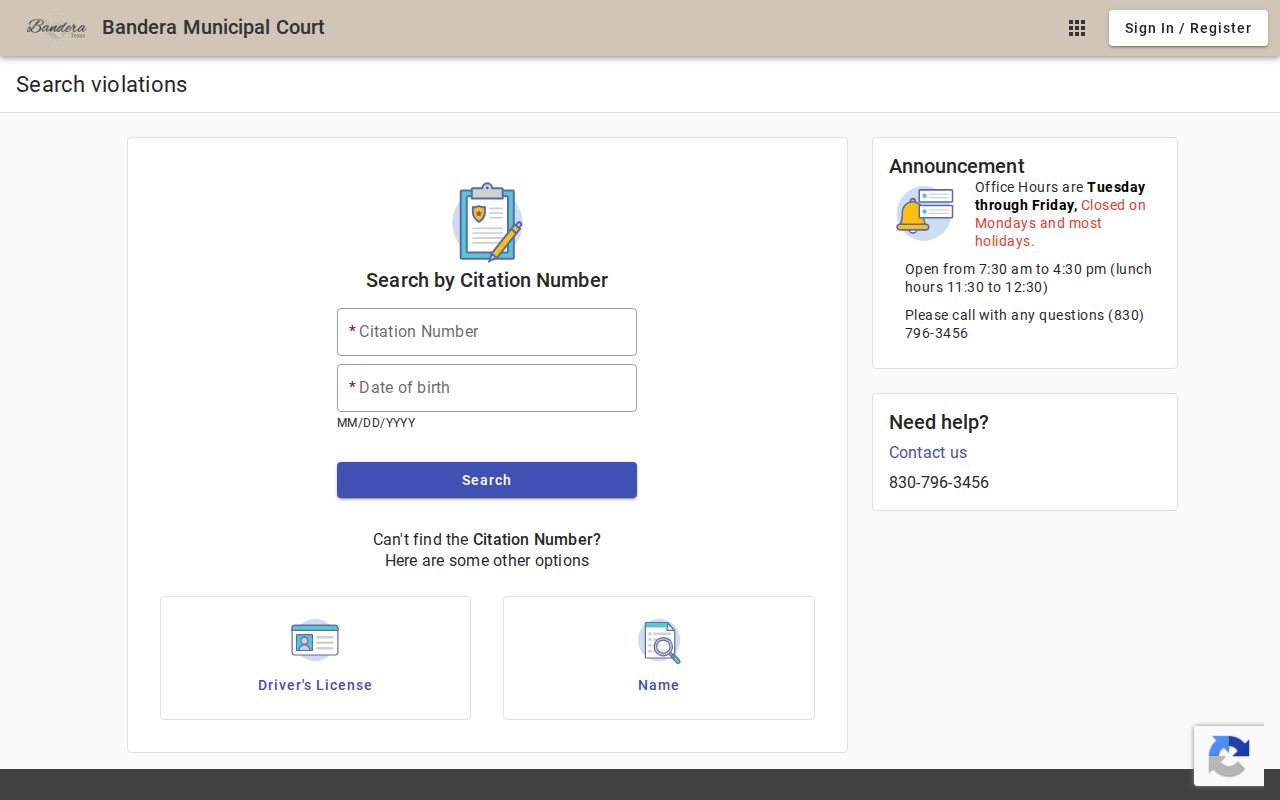
Those field choices make the city portal flexible. They still do not change which clerk owns the case record.
How to Find Your Traffic Court Date
Your appearance or response date is printed on the citation itself. The JP instructions say the summons states the place, date, and time to appear. If that date falls on a day the court is closed, the next business day applies. The city prints its response date above the signature. It is the last day to respond on time. One more city rule: wait two or three business days after a new municipal citation before calling or appearing. Only then call or appear. The Marshal must file the charge first.
| Citation number | Enter the exact printed value, represented as CITATION-NUMBER; no single numeric format was published. |
|---|---|
| Issuing court | JP Precinct 1, 2, 3, or 4, or Bandera Municipal Court. |
| Response date | The deadline printed on the citation, not the day the portal first shows the case. |
| Setting | A later pretrial, trial, or other court date supplied by the clerk or order. |
| Status | Plea, payment, pending request, disposition, or court action as confirmed by the custodian. |
Always confirm a changed setting with the issuing court. A county events calendar is not a full case calendar, and an empty portal result is not proof of cancellation.
Bandera Traffic Ticket Deadlines
A phone call can clarify a city citation. It is never an appearance. The same logic applies to GovPay. Opening it submits no plea until the stated transaction is finished. Keep a dated note of any clerk instructions, plus a receipt for every filing or payment. If the response date is close and the online record shows nothing, act at once. Go to the counter or call the court.
Quick answer: The date printed on the ticket controls. A later portal posting does not move it unless the issuing court gives a new setting or order.
Pay or Contest a Ticket
Paying is not a neutral lookup step. The Bandera County JP page treats payment as guilty in open court. It also treats it as nolo contendere, commonly called no contest. Plead not guilty and you head toward trial. A pretrial setting may come first. The city also offers guilty and no-contest forms and explains trial rights. Whatever you choose, use that court's own process. Do it before the response date passes.
| Choice | What happens in the court file | Route |
|---|---|---|
| Pay | Plea and payment are entered; keep the receipt and confirm disposition. | JP instructions allow stated in-person, mail, or online methods. |
| Contest | A not-guilty plea leads to trial and may add a pretrial date. | File with the issuing justice or municipal court. |
| Request a course | Eligibility, documents, costs, and deadlines must be approved. | Ask the issuing court by the appearance date. |
| Seek deferred disposition | A plea, fee, conditions, and compliance period may lead to dismissal. | Request and qualify through that court. |
| Claim inability to pay | The court reviews a payment plan, community service, or other lawful option. | Submit the court's proof and request. |
Failure to appear: The JP instructions describe a DPS renewal denial, a $30 administrative fee, and possible warrant or added-offense consequences. Ask the issuing court for the current remedy, since city and JP rules must not be blended.
Bandera Traffic Course Requests
Want a defensive-driving course for a Bandera County ticket? The justice court does not grant it automatically. You must ask by your appearance date, and certain cases are barred outright. A plea of guilty or no contest, a jury waiver, payment of costs, proof of financial responsibility, a certified driving record, license or qualifying military status, and a 90-day window are all part of the JP's list. The disqualifiers matter just as much. A course taken in the prior twelve months bars the request. So does a commercial driver license. So do a school-bus offense, leaving an accident, a work-zone offense, driving at least 95 mph, or at least 25 mph over the limit.
This is eligibility language for a court option. It is not a promise about any one case. Call the justice court for the current amount and required documents. A city ticket follows the municipal court's own instructions. Do not copy a JP rule into a municipal request.
Bandera Traffic Deferral Terms
Deferred disposition is a conditional process, not a free pass. The Bandera JP material describes a guilty or no-contest plea, an administrative fee, a period of up to 180 days, and court-set conditions. Comply, and the case can end in dismissal. Fail, and a final fine and conviction can follow. Check the docket after the period ends, because making the request is not the same as receiving the dismissal.
Community service and time-payment plans also need court action. The county page sets a minimum credit of $100 for eight service hours and warns of time-payment fees. Ask and qualify first. Never assume an option will simply appear in GovPay.
Traffic Court Record vs Driving Record
Two different files sit with two different offices. The issuing court keeps the Bandera County traffic case record. The Texas Department of Public Safety keeps the state driving record. One documents what happened in the citation case. The other serves a separate state-record purpose. Neither one substitutes for a certified copy from the other office.
| Court traffic record | Driving record | |
|---|---|---|
| Custodian | The issuing JP clerk or Bandera Municipal Court clerk | Texas Department of Public Safety |
| Core content | Citation, plea, setting, orders, judgment, payment, compliance, and appeal entries | The separate history maintained by the state licensing agency |
| Proof route | Ask the issuing court for a plain or certified citation, docket, judgment, or dismissal order | Use the DPS record-request channel |
A gap in a local portal entry says nothing about the DPS file. For proof of the court outcome, request the court's own certified record.
Bandera Traffic Payment Routes
Bandera County routes online traffic payments through a single vendor. The county's JP payment hub links one GovPay page for each precinct. Contact your precinct first. The Precinct 1 form asks for a case or citation number. Defendant and payment fields come next. Precinct 3 also displays guilty and no-contest choices. Precincts 2 and 4 are linked as well. Their forms may differ, so assume nothing about extra fields.
GovPay charges a 2.50 percent convenience fee on the Precinct 1 page. The fee carries a $3 minimum. The county sets a card rule too. A credit card may not be used for cash bonds, appeal bonds, or payment by mail. Mail payments take a cashier's check or money order under the JP instructions. In-person methods carry separate limits. Get the case number and exact amount from the court before sending funds.
The county's official traffic instructions spell out these payment routes and their restrictions.
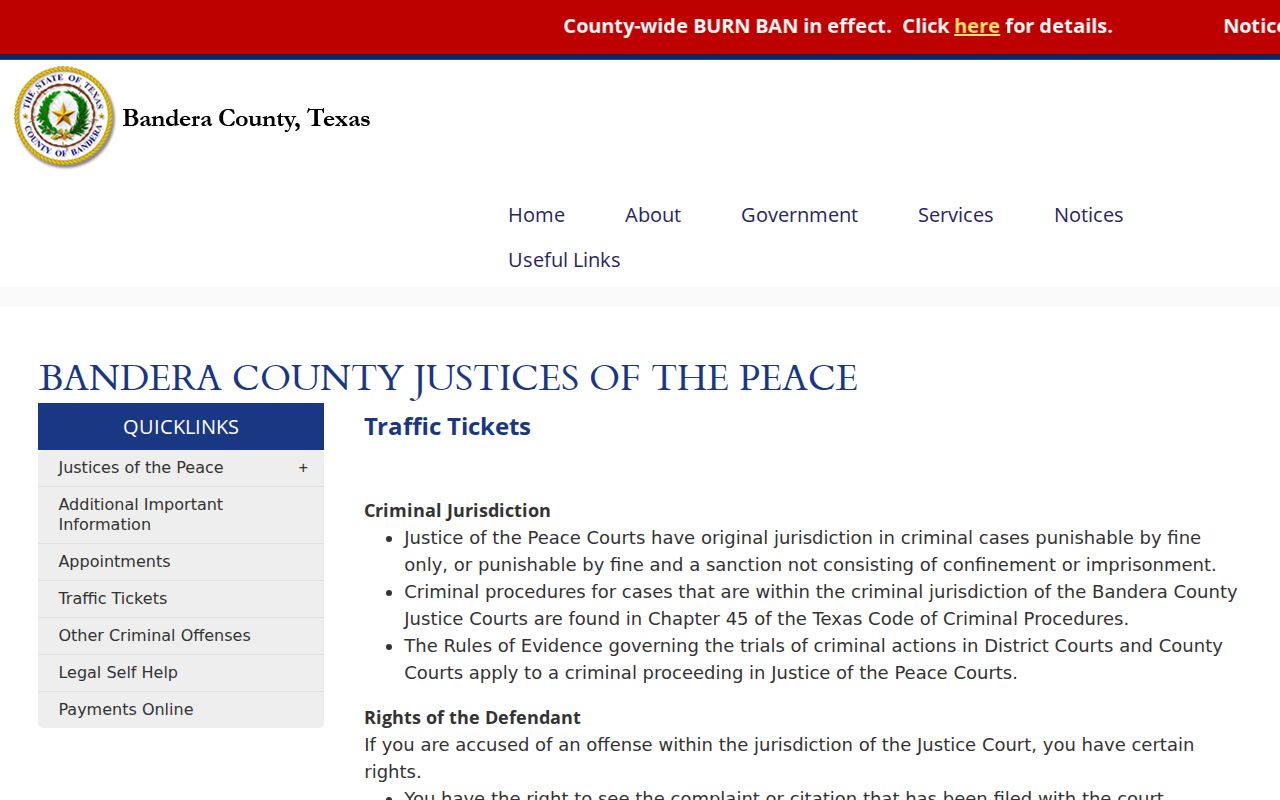
Its key point: payment, plea, a course request, and deferred disposition are four distinct court actions.
Bandera Traffic Ticket Appeals
A justice-court judgment can move to County Court through an appeal. Bandera's JP instructions set the appeal bond at twice the fine and costs. It must be filed within the tenth day. That deadline differs from the original citation response date. Contact the issuing JP and the County Court clerk promptly for current filing steps and the bond calculation.
Keep the notice, bond papers, receipt, and new cause or setting information in one place. An appeal changes the court route. A former precinct payment page may no longer show the controlling status. Confirm the next date with the clerk that received the appeal.
Copies and Fees
Bandera County publishes no countywide fine schedule. Offense amounts, court costs, and eligibility charges must come from the issuing court. A portal fee is separate from the fine. It also does not prove the case is closed. Traffic copy fees are not listed in one countywide table for all five courts, so ask the JP or municipal clerk for a quote.
| Traffic item | Published fee | Bandera instruction |
|---|---|---|
| GovPay convenience fee | 2.50%, $3 minimum | Shown on inspected JP Precinct 1 payment page |
| City online convenience fee | Amount not stated in research | Tyler warns that a fee applies and the city does not retain it |
| Defensive driving or deferred disposition | Contact court | The JP page does not publish one current amount |
| Plain traffic record copy | Confirm with issuing clerk | Do not import District Clerk fees into a JP or city case |
| Certified traffic record copy | Confirm with issuing clerk | Name the citation, judgment, docket, or dismissal document |
When requesting a copy, give the court, citation or cause number, exact document, delivery preference, and certification level. On receipt, verify the court name, file mark, result, seal, and page count.